Safeguarding Your Business Beyond Device Security: The Rising Importance of Identity Protection

By Eric Egolf, CEO

IN THIS ARTICLE:

In today’s digital landscape, IT security is a hot topic of discussion, and for good reason. Security is a constantly changing and complex field and while it may seem repetitive, as we rely on technology and digital interactions more for core business operations, companies have more to lose when their security posture is lacking. Staying ahead of the curve and paying attention to the emerging trends of IT security is now vital to keeping your business safe. 

In terms of priorities, securing individual endpoints (computers, laptops, servers, etc.) should be the initial step. If your organization hasn’t addressed this yet, that should be first and foremost. If you have this covered (maybe you have already implemented a solution such as CrowdStrike EDR), we can start to look ahead toward the next important concept on the rise: securing corporate user identities.  

User Identity- Who’s Who & What They Can Access 

A “user identity” is the digital version of who you are online. It includes things like your credentials (username and password), and other personal information that you use to access and control what you do on different websites and systems.

For our purposes, we will focus specifically on the corporate user identity (the usernames and passwords used to access your corporate data and applications) and how to secure it. Note that this does not include consumer user identity i.e., the credentials that employees use for personal online activity. 

When a user’s credentials are stolen, devastating credential abuse happens every day on devices without any security software. If your endpoints have powerful prevention, detection, and response capabilities, then the impact of this breach won’t be as disastrous as it would be on endpoints that aren’t secured.  

But considering how much power is associated with corporate user identities, it only makes sense that now, in addition to securing the endpoints, the next important security technology on the rise is identity protection- securing and detecting anomalies in the user identities accessing your business’s data.   

In the coming years, we see Identity Protection tools becoming equally as important as Endpoint Protection ones.  

On The Rise: Identity Protection Solutions 

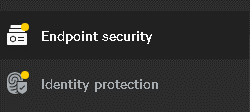
Identity protection needs to be considered separately from securing a workstation. Endpoint security is done via software that is installed on the individual device or workstation (such as antivirus (AV) and Endpoint Detection Response (EDR) solutions).  

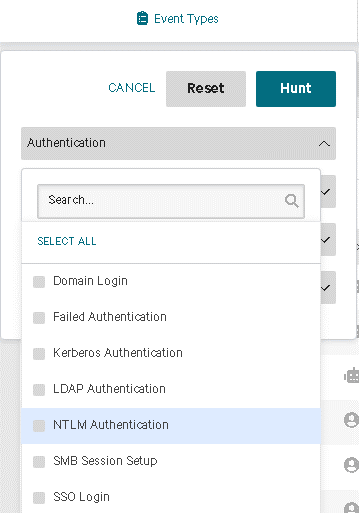
User Identity, on the other hand, is secured by monitoring databases of the corporate identities that access your business data. Identity Protection solutions catch risks in configuration and detect anomalies in credential usage.  

Some examples include: 

  • Someone logging in with a stale user account (user account that hasn’t been used in 90 days). 
  • Using a user account from a machine that doesn’t normally use it – different than baseline behavior.
  • Using an account from two geographically distributed locations, North and South California in the same hour.  

Identity Protection tools are an emerging technology that show incredible potential for increasing a business’s ability to detect and prevent user identity (specifically credential) abuse that they would have otherwise been blind to. 

At CIO Solutions, we offer CrowdStrike’s best-of-breed solutions including EDR and CrowdStrike’s latest module: Identity Protection. These solutions combine the power of modern Artificial Intelligence, a flexible cloud-native design, and now the power of Identity Protection logs to increase your organization’s security capabilities. 


Are you a current client of CIO Solutions? Talk to your vCIO to continue the conversation!

Not a client yet, but wondering how to improve your IT security? Let’s talk!

Neglecting MFA: The Scary Reality of Your Business Risk

IT security is more important than ever. Cyber-attacks and data breaches are a daily occurrence, they just don’t all make headlines. Businesses that fail to take proactive security measures put not only themselves at risk, but their customers too.

One of today’s foundational security measures is multi-factor authentication (MFA). But here’s the scary part: many businesses still aren’t using MFA, which means they’re at risk of some serious consequences.

IN THIS ARTICLE:

MFA Explained 

MFA is a security feature that requires users to provide a combination of two or more authentication factors to gain access to a system or application. This is typically something the user knows (like a password) and something the user has (like a phone or security token). These are used to verify the user’s identity. Unlike solely relying on a password for access, requiring more than one authentication method adds an extra layer of security. If the user’s password is stolen, the second authentication factor helps to prevent unauthorized access to sensitive information and systems.  

Business Consequences of Not Implementing MFA 

MFA is a relatively simple solution that can significantly increase your preventative security posture. In today’s world, it’s only a matter of time before a user’s credentials are compromised. Without a second verification method, that’s all it takes for a bad actor to get into your systems. The fallout of that can be severe.

Here are some examples of what can happen if your business doesn’t use MFA on critical business applications: 

  1. Data Breaches

    Without MFA, hackers can easily gain access to business accounts or systems by stealing or guessing a user’s password. No one’s password policy is good enough to prevent this. Once inside, your sensitive data including customer information, intellectual property, and financial records are at risk. 

  2. Financial Losses

    Along the same lines, without MFA, stolen credentials can give bad actors all the access they need to transfer funds, make unauthorized purchases, or steal sensitive financial information. This can result in significant financial losses, legal fees, and regulatory fines. 

  3. Reputational Damage

    A breach can damage a business’s reputation quickly which is difficult to recover from. Customers may lose trust in your business and look elsewhere. Depending on the severity of the breach, it can cause prospects to think twice about choosing your company. Reputations take a long time to build, can be damaged in an instant, and may take years to recover. 

  4. Compliance Violations

    If your business has cyber-liability insurance (something all businesses should have these days), MFA is a requirement. Failing to adhere to this could risk your insurance coverage. Additionally, many industries, such as healthcare and finance, are subject to strict compliance regulations that require the use of MFA. Failing to comply with these regulations can result in legal penalties, fines, and even license revocation.

  5. Operational Disruption

    The day-to-day impact of a breach resulting from the failure to implement MFA can be damaging on its own. Bad actors who gain access to your business systems can disrupt your operations or even shut down your systems. This results in downtime, lost productivity, lost revenue, and negative customer experiences.

The scary truth is businesses that avoid implementing multi-factor authentication (MFA) put themselves at significant risk for avoidable incidents. Cybercriminals are always looking for easy targets, and the absence of MFA makes your business just that. 

It’s true that implementing MFA won’t solve all security problems; it’s just one part of a robust security posture. But failing to take this foundational prevention step can lead to catastrophic events. The consequences for your business can range from uncomfortable to completely disastrous. 

It’s crucial that businesses take proactive measures to protect themselves and their customers. Implementing MFA on your key business applications is a simple yet effective way to increase security and mitigate risks. As the old saying goes, “an ounce of prevention is worth a pound of cure.”


Are you a current client of CIO Solutions? Talk to your vCIO to continue the conversation!

Not a client yet, but wondering how to improve your IT security? Let’s talk!

Email Safety | 5 Ways to Spot a “Phishy” Email

Quick Tips & Best Practices

We rely on email for many functions of business today. This makes it an excellent tool for bad actors to exploit. Email is one of the quickest and easiest opportunities threat actors have at their disposal.

Threat actors have gotten good at using our busy days and frequent use of email to trick users into providing information, making mistakes, or taking actions. That may look like tricking an Accounts Payable employee into wiring payments to a different account number or getting a user to enter login credentials by pretending to be a well-known company and sending a fake “response required”, “unusual activity”, or “update account details” email.

In the busy day-to-day, here are a couple of tips to keep in mind for practicing email safety both in your work and personal life so you don’t fall victim to these manipulation tactics.

5 Signs an Email Is Suspicious

Bad actors find success when their targets are busy, hurried, and accept things at face value. When you get a suspicious email, PAUSE and check to see if any of these signs are present:

P Passwords or sensitive info requested Pay attention to what the email is asking you to provide (passwords, social security numbers, account information, credit card info, etc.). This information shouldn’t be shared via email.
A Attachments you weren’t expecting Don’t trust attachments you didn’t ask for and avoid opening invoices, Word docs, and any other attachments that you didn’t request or weren’t expecting
U Urgency or intensity in the tone Notice the tone- is the sender requesting secrecy, stating something is past due or urgent, and generally trying to make you react quickly?
S Sender name & domain don’t match Check if the sender’s display name and email address don’t match, (name shows as John Smith, but the email is ra4azeu526@gmail.com) or if the email address domain is unfamiliar (usually from @company.com but this email is coming from @business.com)
E Errors in spelling & grammar Particularly from reputable, large companies, pay attention to spelling and grammar mistakes

Best practices if you think an email is suspicious:

  • HOVER, don’t click
    • Don’t blindly trust the display text, use your cursor to hover over links. This will display what the embedded link address is and give you more information. When in doubt, don’t click.
  • DELETE, don’t engage
    • Err on the side of caution and delete the email from your inbox rather than unsubscribing or engaging with it at all.
  • VERIFY, use a different method of communication to verify the source
    • Don’t respond to the email. Call, text, or chat with colleagues/vendors/executives to verify that email requests are from them.
  • LEAVE, go directly to vendor websites instead of through the email
    • Open your browser and go directly to the company’s website to log in to any accounts, change passwords, etc. Don’t go from any links in the email to reset passwords.

When it comes to email safety, be extremely skeptical.

This is an area in which it’s good to be hesitant, exercise extreme caution, and be wary. Email is quick and convenient, but now more than ever it’s important to slow down, stay vigilant, verify often, and change up communication methods.  


Are you a current client of CIO Solutions? Contact your vCIO or Customer Success Manager to continue the conversation around your IT security and anti-phishing education tools!   

Not a client yet, but curious about maturing your IT solutions? Let’s talk!

Reframing Your Approach to IT Security Decisions

By Sean Gill, vCIO 

The IT security landscape has continued to shift rapidly over the past couple of years. Threat actors leverage creative social engineering techniques, phishing and spoofing threats are continuously rising, zero-day vulnerabilities are exploited, and ransomware is at large. Businesses are more reliant on technology than ever before, and the industry continues to move toward SaaS (software as a service) solutions like Microsoft 365, shifting company data online and increasing the importance of adapting security best practices.

With rising threats and more at risk reputationally, financially, and operationally, it’s important that businesses adapt the way they think about security to meet these changing times. Taking an attitude of “if it ain’t broke, don’t fix it” or choosing to delay making changes “until it becomes a problem” can be devastating to a business.

Unfortunately, many companies still think that IT security breaches are a problem that only hits those unlucky few. But the reality is, the frequency and variety of threats turns the unlucky “few” into the unlucky “many”. Everyone knows a business that has experienced a compromise. We want to help you avoid becoming one of them.

Modernizing how we think about security 

Business owners and decision-makers now find themselves more involved in the nuances of IT security decisions in ways that they didn’t used to be. If this is true for your business, you’ll know that one of the frustrating challenges is figuring out how to keep up with security and associated IT jargon, especially when your core focus is, appropriately, on running the business and servicing your clients.

As the nature of threats and risks to businesses continues to change, how you think about security should as well. In this article, we will give you a simple framework that aims to help you conceptualize IT security and serve as an outline for making decisions.

IT Security Framework: Prevention, Detection, Response 

There are three key pillars to a thorough IT security framework: Prevention, Detection, and Response. Keeping these in mind when assessing IT security strategy can help ensure that in the budgeting and planning process, your organization doesn’t overload on one area and neglect another.

Prevention Pillar 

Historically, this category is where IT security spending primarily occurred. These solutions were the first (and often primary) line of security against threats. It is still an important focus, but no longer to the exclusion of the others.

Think of your business like a house. This would be like ensuring your locks work and installing a strong gate. These tools are there to prevent a break-in.

Technologies and practices that fall under this pillar of “Prevention” include: 

  • Firewalls – Perimeter security that blocks access to internal networks 
  • Antivirus – Software that recognizes and stops malware and viruses before they take hold and spread 
  • Password Policies– The practices of changing passwords frequently to prevent lost or stolen passwords from being used to access corporate resources 

All these are examples of Prevention security and are still valid and necessary today. But now, in addition to these, it’s important to consider additional ways of preventing malicious actors from getting in and gaining a foothold. Multi-factor authentication (MFA) and leveraging Artificial Intelligence (via Endpoint Detection and Response or EDR) are among the new technologies to improve the stack.

Multi-factor authentication is an essential component in your security foundation, and for good reason. As the name suggests, MFA requires a user to authenticate themselves more than once when trying to access company resources like your Microsoft 365 ecosystem. In contrast to simply providing a password (which could be compromised) to login, MFA also requires that the user supply more verification in the form of something they know, something they have, and, in some cases, something they are.  

This includes some combination of a traditional username and password (something known) and a digital token or code sent to a user’s mobile phone (something they have), and additionally, with most mobile phones incorporating some form of biometrics such as a fingerprint reader or facial recognition, (something they are). 

If your business requires users to utilize MFA for access, hackers will be prevented from accessing systems even if they come to possess a user’s password. This tool has given businesses of all sizes an additional layer of prevention capabilities in today’s landscape and has shifted from being nice to have, to a security standard across the industry.

Likewise, the use of Artificial Intelligence via Endpoint Detection and Response (EDR) has revolutionized traditional antivirus software. Traditionally, antivirus solutions were binary and merely reported on whether malware was or was not present – usually based on a set of definitions or some light heuristics. EDR moves beyond that. Instead of simply preventing known malware and viruses, in an EDR system, the antivirus feeds into and informs a more sophisticated detection and response platform. The use of Endpoint Detection and Response is continuing to become a requirement. In fact, most insurance companies require an EDR solution to purchase a cybersecurity insurance policy.

Detection Pillar

While everyone hopes that their Prevention stack is sufficient to keep out all the bad guys, the way the threat landscape has evolved, this is now just not the case. Even with a good prevention stack, bad actors still find creative new ways in and will spend time in your environment observing patterns and trends, waiting for their time to make a move – exfiltration of data, ransomware, or account takeovers. This is known as “dwell time”. Because of this, the Detection Pillar of the security framework may arguably be the next most important.

A traditional antivirus solution won’t detect if a system is still compromised after the initial compromise. If the bad actor is leaving traces of activity, without a detection tool like EDR, this trail will not be easy to find.

EDR keeps track of everything that has happened-from how a bad actor got in, to which systems or files were accessed, to newly spawned processes. This log of events is referred to as the “kill chain.” The kill chain provides an in-depth understanding of exactly which processes ran or files were touched. This ability to detect and understand all activities, in turn, allows for more certainty when remediating any exploit. From this information, it’s possible to determine if a threat has or has not been fully cleansed and shows exactly what systems should be reviewed for compromise.

Let’s go back to the analogy of your business as a home. Advanced detection tools like EDR are like installing a security camera system. You can detect suspicious activity early, be alerted to it, and if there is a break-in, have clear records of what occurred. 

Response Pillar 

Responding appropriately to any given event is essential – this applies to all areas of life, including our IT Security Framework. This pillar includes the tools and resources you would employ should a breach occur. This can be small (a plan for cleaning out all traces of a malicious actor) to large (hiring a forensics team, communicating to clients, and filing an insurance claim).

An effective Response Pillar includes creating playbooks for how to respond in different scenarios. Does your Security team or IT Steering Committee need to meet? Are there any reporting requirements for clients? Does a Cybersecurity insurance claim need to be opened? Do Business Continuity or Disaster Recovery plans need to be implemented? These reactions can, and should, be thought about before they are needed. Table-top exercises with the Executive Team can be a great way to brainstorm about various scenarios and how the organization should act if they were to arise.

To continue the home security analogy, our locks and gate (Antivirus and MFA) attempted to prevent the break-in. But when that didn’t deter the invader, our security system detected that something was wrong, and the camera (EDR) recorded everything. After reviewing the footage (EDR data) and assessing what happened (was anything taken, was anyone hurt, is the intruder still there?), we can respond and take appropriate action.

Was the alarm triggered by suspicious activity (antivirus quarantined a malicious file) and no actual break-in occurred? Or was the incident serious (a Zero-Day exploit that allowed bad actors inside the network) and do we need to call for help? 

We can see how all the previous pillars of the security framework support our abilities in the response pillar. Particularly the detection tools like EDR data, without which, analyzing risk and appropriate action becomes very difficult. Without this kind of clear insight, the organization may take actions disproportionate to what is needed – either by overreacting and spending unnecessary time and resources or by underreacting and opening themselves up to more risk.

IT Planning 

We all know that protecting our companies’ infrastructure is critical to the success of the business. The foundational requirements for securing your business have shifted to meet the demands of today’s current security landscape, and they will continue to change over time. If your business is part of an industry with inherently high-security compliance demands (like legal or medical businesses), it’s likely you’ve already been implementing modern tools to maintain the highest level of compliance. On the other hand, if your industry has less stringent security compliance regulations, your business may have historically viewed advanced security tools as “nice to have” but not necessary. Unfortunately, the reality of the world today makes that mindset a luxury that no business can afford.

The best place to start is by evaluating your current solutions with these three pillars in mind. With a better understanding of this framework, how does your security stack up? Has your organization implemented modern prevention tools such as MFA? Do you have an EDR solution in place to bolster your prevention and detection abilities? Have you mapped out a response plan? If not, the first step is discussing your security with your IT expert!


Sean-Author

ABOUT THE AUTHOR

Sean has been shaping the IT strategies of businesses across a wide range of industries and sizes for over 10 years. As a vCIO at CIO Solutions, he works with business leaders every day to create a clear IT vision, mature technology solutions, and ultimately, enhance business productivity and security through technology.

He and the rest of the Strategic Client Services team at CIO Solutions are constantly evaluating important trends in the industry and advising clients on best practices and long-term IT strategies for success.


Are you a current client of CIO Solutions? Contact your vCIO or Customer Success Manager to continue the conversation around your IT security!   

Not a client yet, but curious about maturing your IT security? Let’s talk!

Understanding The Enemy + Why Your Antivirus Isn’t Enough

By Russ Levanway

You probably saw a dominant story in the news a couple of months ago about a major fuel shortage across the eastern seaboard. The pipeline that provides almost half the oil to the northeast and south came under a cyber-attack. Gas pumps ran dry in Tennessee, Georgia, and other states. This happened fast on the heels of other major exploits. Then in the last 2 weeks, tech news has been dominated by a serious vulnerability in management software called Kaseya, with over a million computers encrypted with ransomware as a result.

Ransomware attacks are getting to the point where they are becoming existential threats to organizations and can disrupt entire industries and supply chains.  If it wasn’t serious before, it is now.  Furthermore, hackers are increasingly sophisticated and daring. They’re often backed by foreign governments bent on destabilizing, stealing intellectual property, or just plain old making money via extortion.

The risks of a confidential data leak are higher than they’ve ever been before. It is critical that businesses not only understand how these adversaries operate but also rethink their own approach to security.

How cyber extortion works

Hackers’ typical MO is:

    1. Acquire your passwords or exploit some vulnerability
    2. Log into your device and/or network automatically or manually
    3. Steal a copy of your valuable data (credit card numbers, bank account numbers, social security numbers, intellectual property)
    4. Encrypt everything
    5. Hold it for ransom

If they don’t get what they came for, (you restore the data and can’t (or won’t) pay the ransom), the hackers leak your data all over the internet, selling it to the highest bidder.

Doesn’t my antivirus software protect me?

As someone in the IT field, one of the questions I often get asked is ”what about antivirus software? Doesn’t that protect me?” This is an understandable question. I preach the benefits of installing and maintaining antivirus software all the time. If it’s so important to have this tool installed, shouldn’t that be enough protection?

Unfortunately, no. The truth is, antivirus software stops 95 percent of attacks, so we always have it deployed as a security baseline, bar none. But what is it stopping exactly? Antivirus is preventing known viruses, known threats. When we talk about extortion and data infiltration, we’re not talking about viruses — we’re often talking about other tactics.

Flying under the radar

Threat actors often use phishing techniques to trick you into giving them your password (if they haven’t stolen it elsewhere). Often, a cyber-attack like this begins with an email from “your bank” that asks you to log in to your account to validate information. If you aren’t well versed in how to identify a counterfeit or deceptive email like this, you’ll fall for it and click the link. (No need to be embarrassed by your gullibility: you are in very good company. According to some estimates, a staggering 30 percent of people open phishing emails and 12 percent click on malicious links and/or attachments.) That fateful click leads to a counterfeit of your bank’s website. You put in the username and password, and you’re led to a blank page. You’ve been phished. Now the hackers have your credentials for the bank. All of this is done without using a virus of some kind, mind you.

Alternatively, threat actors may identify a vulnerability in your system. Once this vulnerability is identified, they exploit it by running what may appear to be legitimate software that goes undetected. Again, hacking you and your systems without the use of a virus.

These tactics leverage legitimate credentials and exploit existing vulnerabilities. Because of this, they can, therefore “fly under the radar”. Standard antivirus software can’t prevent this, it can only help stop code it knows to be malicious.

Adjusting your expectations

I talk about hacking all the time, I must seem like a broken record. But cyber-attacks keep happening, both in extreme cases like what we see in the news and for our clients, large and small. I keep hoping that if nothing else, a major event like the fuel shortage can help people understand how prevalent and destructive they really are.

Arming yourself with an understanding of how these threat actors operate is the first step. The second step is realizing that effective cybersecurity isn’t a question of simply having current antivirus installed. As we’ve seen, this tool can only do so much. That’s why the approach needs to shift. Cybersecurity is not one-dimensional and antivirus is not a catchall. In today’s world, antivirus is only one part of what must be a much broader cybersecurity toolset. It’s important that the expectation is adjusted to match the reality.

[ READ: Ditch the Drama: 5 ways to stay ahead of the hackers]

Ditch the Drama: 5 Ways to Stay Ahead of The Hackers

By Russ Levanway

Ransomware attacks are getting to the point where they are becoming existential threats to organizations and can disrupt entire industries and supply chains.  If it wasn’t serious before, it is now.  Furthermore, hackers are increasingly sophisticated and daring, and are often backed by foreign governments bent on destabilizing, stealing intellectual property, or just plain old making money via extortion.  The risks of a confidential data leak are higher than they’ve ever been before.

One of the questions I get asked regularly is: “What can I do to protect myself from data infiltration?”

The first step is arming yourself with an understanding of how these threat actors operate. The second step is realizing that effective cybersecurity isn’t a question of simply having current antivirus installed. In today’s world, threats are varied in nature, and an effective cybersecurity toolset must be multi-dimensional. [READ: Understanding the Enemy + Why Your Antivirus isn’t Enough.]

Here are the 5 best things you can do to protect your business and stay ahead of the hackers:

#1 Keep learning

As cliché as it is, “knowledge is power”. The most powerful line of defense is prevention and education.

We continually have to remind people of that. Thankfully, at CIO Solutions we have long been offering anti-phishing educational tools to clients. These include a valuable training tool that enables your company to educate users in real-time. Through simulations, training videos, and more this tool can make users aware of phishing and empower them to identify and avoid it. We provide this to most of our customers, but its efficacy is only as good as the business’s willingness to put in the work.

To reap the benefits of a program like this, users have to engage with the orientations and training videos; they don’t work by osmosis. Businesses that embrace these trainings and stress their importance are better off than those that don’t. Often, it’s the companies whose employees skip the trainings that wind up incapacitated by a phishing attack, desperately in need of our help to clean up a mess.

#2 Remember your backups

We were recently engaged by a cybersecurity forensics firm to help a large organization that was mismanaging its backups. Sadly, they had been infected with ransomware and all their data was encrypted, including their backups. The data was not recoverable because of the encryption, and the ransom was beyond what they could afford.

Moral of the story? Backups and protection are key. Never skimp on backups and be sure they are set up properly with an onsite and offsite copy that is firewalled from the regular network.

#3 Invest in cyber liability insurance

We consistently recommend cyber liability insurance. Businesses insure against fire, flood, and theft of property. Based on prevalence, cyber-attacks should now be listed among those sorts of catastrophes.

Cyber liability insurance is extremely valuable and, in the grand scheme of things, pretty affordable. Consider the astronomical cost of getting attacked: loss of business, forced shutdown, frustration, and paying for IT help (not to mention the financial costs incurred by paying a ransom). It can be crippling if your data is encrypted. Several days may pass before you can get your network running again. You may even need forensic help to get back online, investigate whether your data was stolen, and prevent further attacks.

Bottom line: If (or when) that happens, cyber liability insurance is a small price to pay for protection.

#4 Look into Endpoint Detection and Response (EDR)

Don’t confuse EDR with antivirus protection. Antivirus software can detect known threats and prevent the installation or deployment of known viruses. EDR can detect variants to patterns in both software and user behavior.

Let’s say Joe’s computer typically downloads 100MB a day from the internet. One day it reverses and uploads 100MB to the internet. EDR will see that as suspicious and flag it.

In our effort to stay at the forefront of cyber-attack prevention, CIO Solutions now offers CrowdStrike, a very advanced EDR tool. A cybersecurity forensics firm we work closely with thoroughly vetted it as a best of breed solution.  As recently as a year ago, the program was outside most organizations’ budget, but today it’s far more affordably priced. Are you a current client of CIO Solutions with questions about CrowdStrike? Don’t hesitate to ask.

#5 Enable Multi-Factor Authentication (MFA)

You’ve probably gotten used to the number of websites these days that won’t let you in with a plain old password. Your bank probably also texts or emails you a security code. You might even have an application on your phone called an Authenticator app with rolling codes that you have to enter to log in.

These are all examples of MFA.

Your business ought to implement MFA on key applications as well. This tool has quickly become a standard in the evolving security landscape. Even if someone DOES get your password, it is useless without the other authentication factor. The second piece to grant access is the security code that will only come up on your phone (which they don’t have). We highly recommend this.

Don’t put off to tomorrow what you can do today

The bad news: hackers will always be a threat.

The good news: there are effective ways to protect yourself, but you have to deploy them now.

Armed with that information, how will you begin protecting yourself from ransomware, phishing, and data infiltration?  How can we help?